What's new › Improved
Improved
New emails, and you choose which ones you get
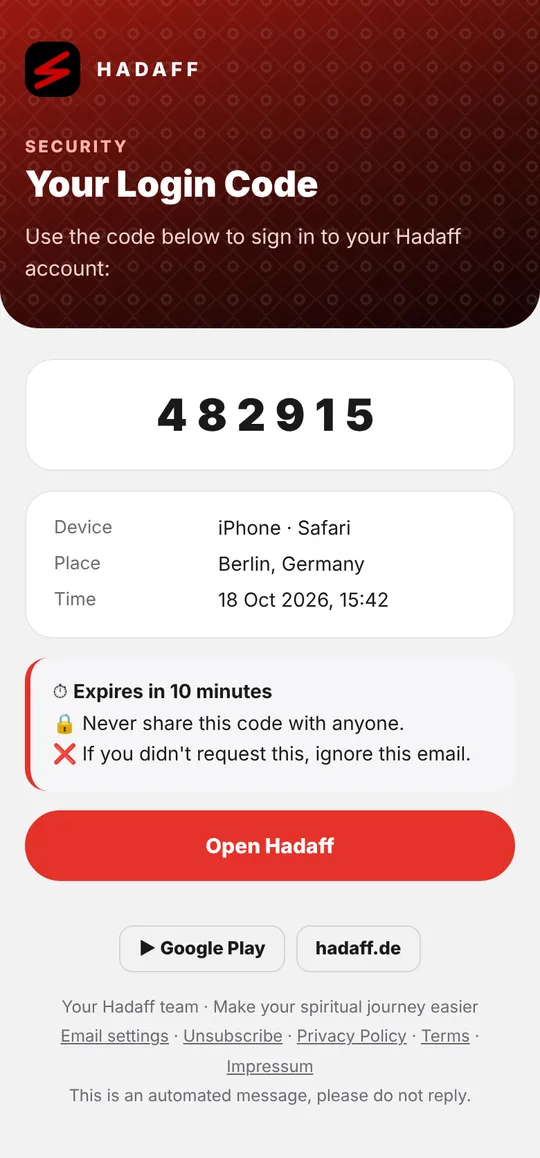
Every email from Hadaff has a new design that looks right in light and dark mode, and new optional emails like a weekly recap – only if you switch them on.
What's new:
- A fresh design for every email: sign-in codes, support replies, account and security notices. They now look right whether your mail app is in light or dark mode, in all five languages.
- Safer account: when your account is used on a new device, you get an email with the device and time, and a button to sign out everywhere if it wasn't you. You also get a confirmation when your password changes.
- New emails you can choose: Your week (every Sunday: streak, athkar, Quran pages and Khatma progress with an ayah of the week), Islamic occasions (Ramadan, Eid, Laylat al-Qadr and a Jumu'ah reminder), What you missed (new followers and unread messages, at most once a day) and New versions & legal changes.
The optional emails are off until you switch them on. Open Settings › Notifications › Email settings, or the Email settings link at the bottom of any email. Unsubscribe also works with one click from your mail app. Emails about your security, account, support and legal notices always arrive.